Symphony for ArcGIS
Your ArcGIS System should run like a well-orchestrated symphony—don’t you think?
Symphony is GEO Jobe’s master application, providing a single point of access for several Dependent Applications. Many of these dependent applications come bundled with the base license of Symphony, while providing space to efficiently build premium tools for more niche audiences as well.
Automate Workflows
Increase Accuracy
Free Up Time
About Symphony for ArcGIS
Over the last decade of building world-class GIS administration tools, one thing became clear to us here. We needed a core platform upon which we could create custom tools that had powerful capabilities, extending existing ArcGIS capabilities or unlocking entirely new ones by thinking outside of the box. Symphony was born out of that need. Now you can either build your own custom workflows on top of Symphony, or use the dozens of preconfigured workflows that come bundled with the product.
Dependent Applications
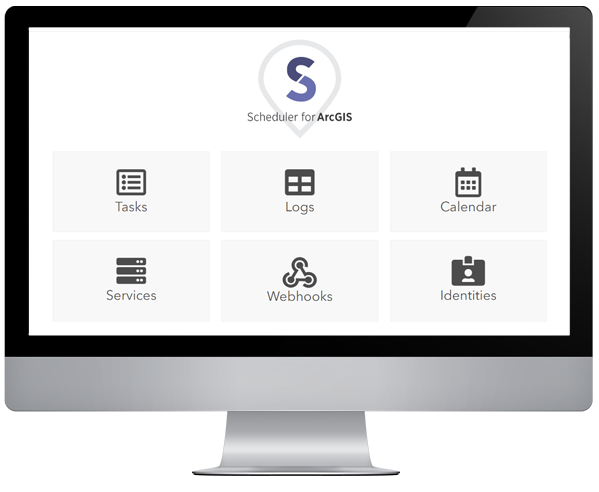
Scheduler for ArcGIS
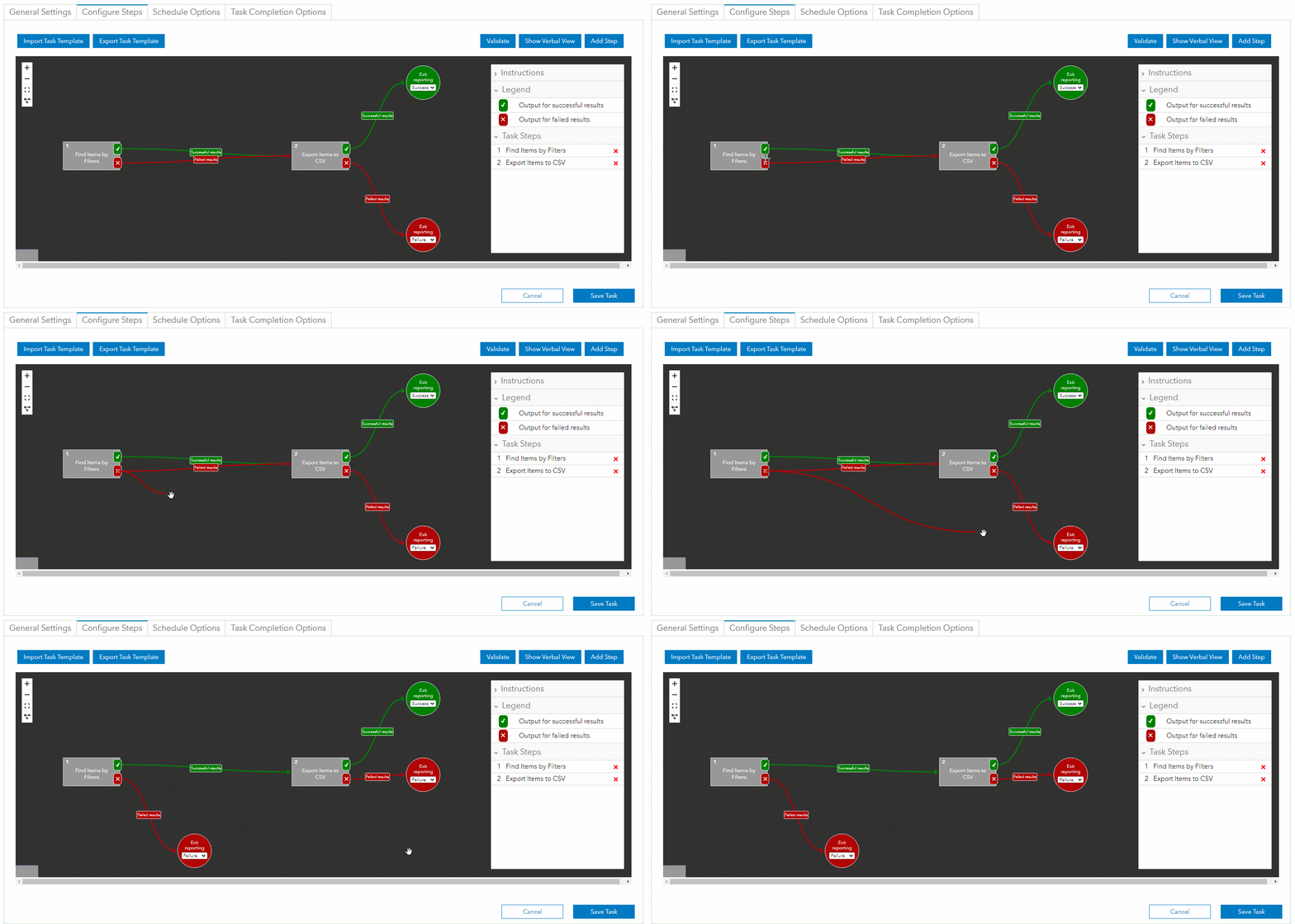
Automate routine administrative tasks like creating reports, validating content, and managing services (starting/stopping). Take advantage of Scheduler's no-code workflow builder, webhook management interface, and improved ArcGIS log parsing interfaces in order to ensure that every event that you care about is responded to in real time.
Architecture Viewer
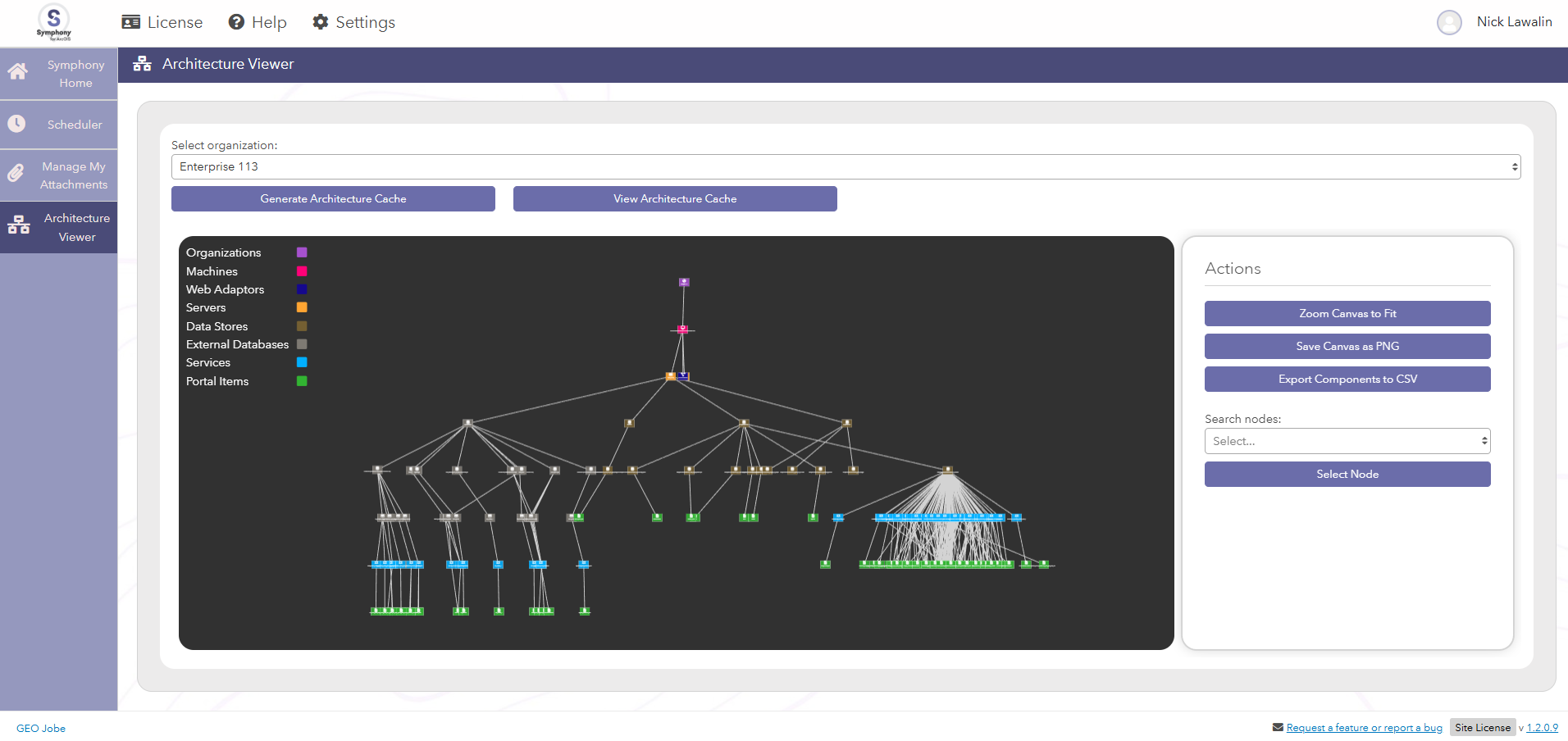
Gain unparalleled visibility into your system's architecture, allowing you to view a clear diagram of your setup. Catalogs and visually displays every discoverable component of your ArcGIS infrastructure. Easily export the resulting diagram to share with management or others as needed.
Manage My Attachments
Many organizations have been accumulating increasing volumes of feature attachments over time, both due to an increased number of users in GIS, as well as mobile device cameras getting more and more robust with the photos they take. These attachments are stored directly in the ArcGIS Data Store, so having a high amount of them can cause issues with the feature service(s). Manage My Attachments gives you the tools to apply lossless compression to those image attachments, allowing you to reclaim that space without compromising your access control or requiring any change management for your staff.