
Admin Tools for ArcGIS®
Over 100 tools to make GIS administration more efficient
Do you spend a lot of time on repetitive tasks while managing your ArcGIS organization? Ever wish there were a smarter way to work—one that lets you perform actions in bulk instead of one at a time? Admin Tools for ArcGIS® helps you manage items, users, and groups more efficiently and intelligently. Each tool was built in direct response to a request from one of our users—because who understands GIS administration better than those doing it every day? With Admin Tools, you can reclaim valuable time and focus on what really matters, rather than getting bogged down in tedious administrative workflows.
Save Time
Reduce Errors
Advanced Filtering
There's a tool for that!
View Item Dependencies
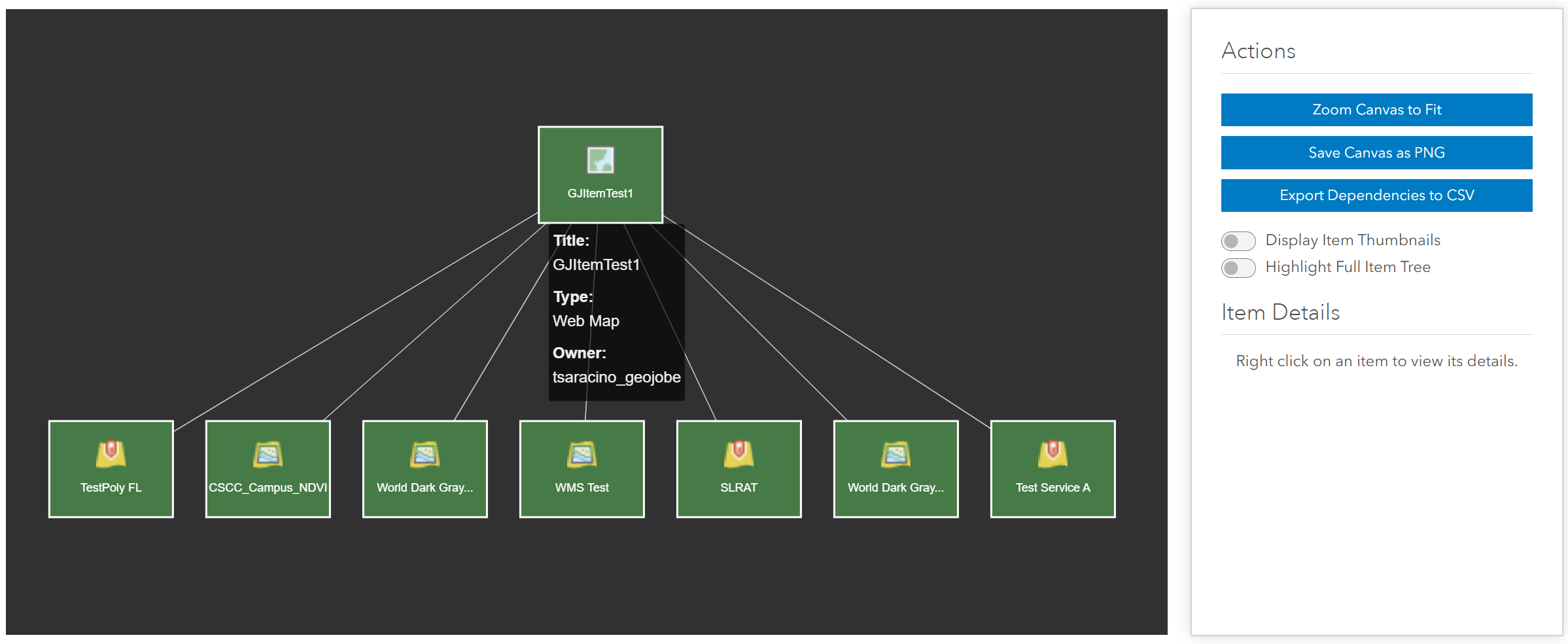
Ever wish you had a quick way to see what maps and applications were using a service in your organization? Or wanted to know what would be affected if you deleted an item? Admin Tools provides an extremly helpful tool for viewing item dependencies and relationships.
Thumbnail Generator
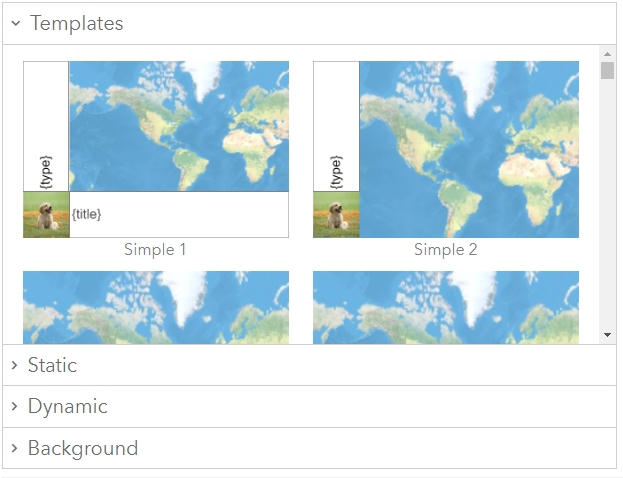
Use Admin Tool's Thumbnail Generator to create standardized thumbnails for every item in your organization. Add information like the item type, owner, and much more. Once you've seen how organized consistent thumbnails makes your organization look, you'll wonder how you ever did without it.
Copy Web Map Symbology / Popups
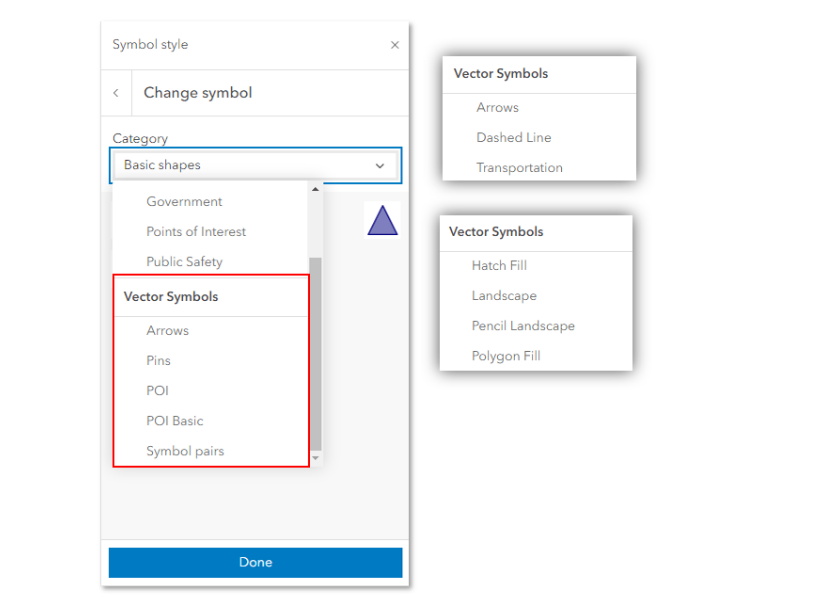
Have you ever had to manually recreate all of the custom symbology and/or popup configurations in a new web map? This can be incredibly time consuming, going back and forth between each map and trying to make sure you didn't miss anything. Admin Tools has a tool to quickly copy the symbology and popup configuration(s) you want from one web map to another, so you'll never have to do this manually again.
Export to CSV / Import from CSV
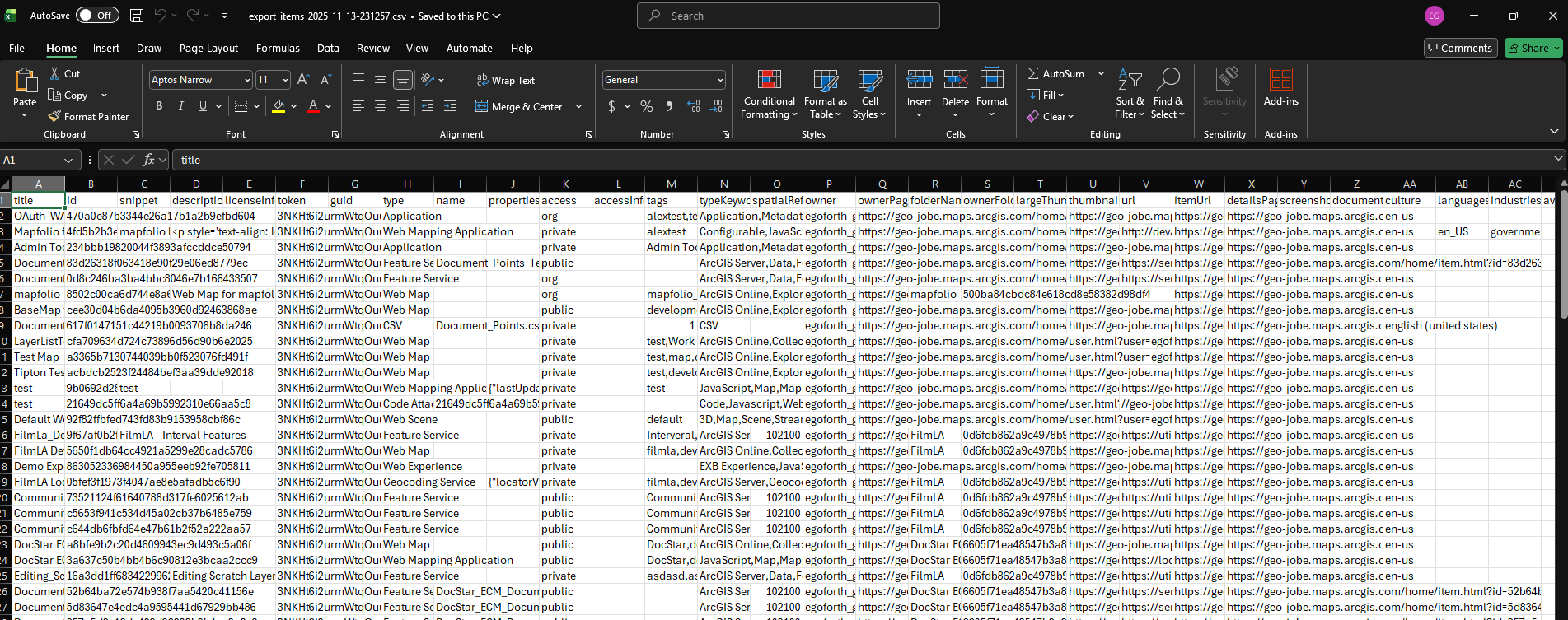
Admin Tools allows you to export items, users, and groups to a CSV file so that you can easily view it all in your favorite spreadsheet program. You can even make changes to attributes in those CSVs, then use the Import tools to apply those changes to the appropriate things!
Admin Tools for ArcGIS® Online
- Connect to an ArcGIS® Online Organization
- Free, browser-based SaaS. No installation required!
- A selection of item-management tools
- A selection of user-management tools
- A selection of group-management tools
- Bulk export and administration capabilities
Admin Tools for ArcGIS® Enterprise
- Connect to your ArcGIS Enterprise deployment
- Self-hosted installation for controlled environments
- Full suite of item, user, group, and administrative workflow tools
- Bulk-maintain web maps, web scenes, feature layers, ownership, and sharing
- Visualize item dependencies and relationships in 2D or 3D
- Server-side caching with scheduled background refresh
- Organization-level access controls for licensed connectors
Free Tools!
Many useful and time-saving tools for items, users, and groups have been made available in a FREE SaaS version of Admin Tools for ArcGIS Online. No installation required!
Note: An ArcGIS Administrator account is needed to access and use these tools for your ArcGIS Online Organization. After authenticating, you will be taken to the free version of Admin Tools for ArcGIS Online.
Admin Tools for ArcGIS Key Resources
Check out these helpful links to learn more about how Admin Tools can help you save time while administrating your ArcGIS organization.

Just getting started? The official Quick Start Guide
Here you will find our official Quick Start Guide for Admin Tools -- with all the information you'll need to get going once you have acquired your license.

Admin Tools Newsletter
Sign up for the Admin Tools Newsletter to receive email updates when we add new tools, resolve bugs, or just have interesting information to share.