


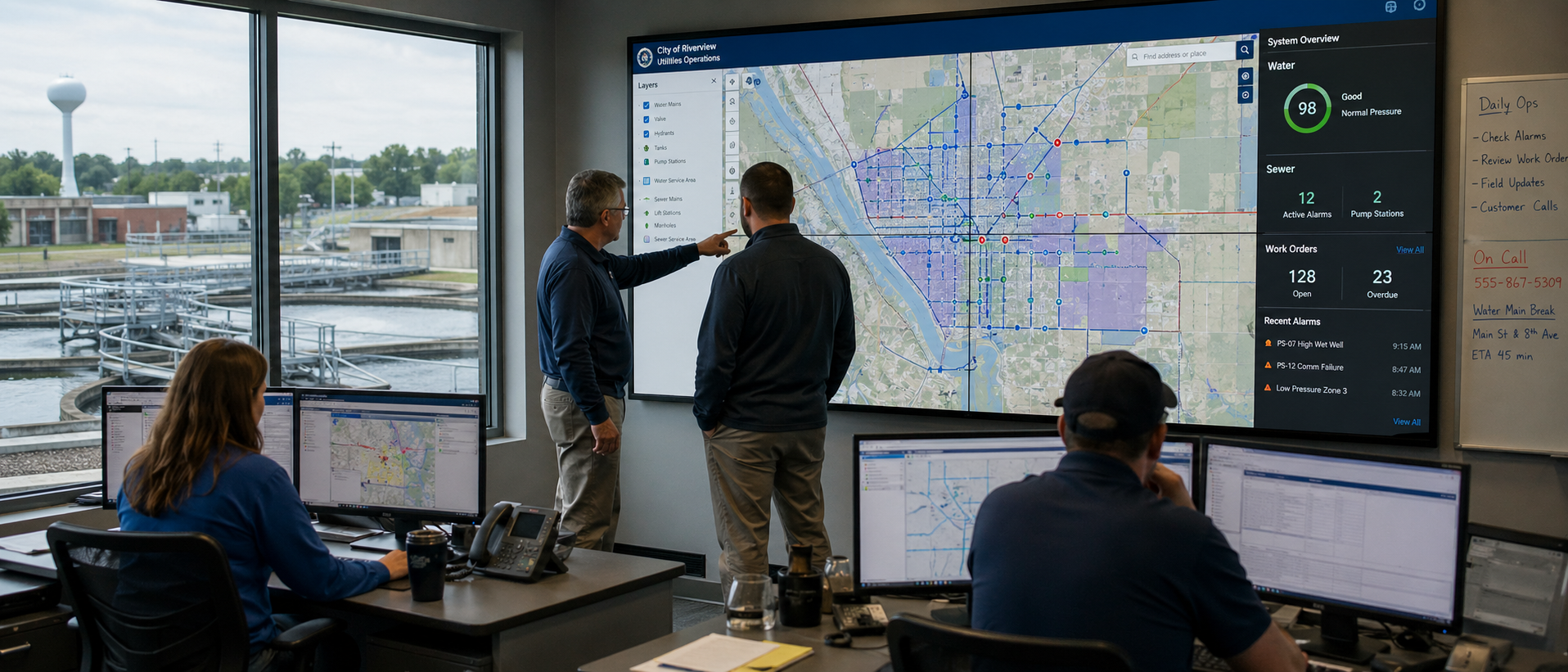
Model Context Protocol is reshaping how enterprise software connects to AI, and ArcGIS administration and content management is next in line
If you manage an ArcGIS organization, your daily work involves a familiar pattern: open a web interface, click through menus, configure options, run an operation, wait, check results, repeat. Whether you’re scheduling ArcGIS backups, auditing portal content, updating user permissions, or migrating items between ArcGIS Online and ArcGIS Enterprise environments, the workflow is manual, sequential, and screen-bound.
If you’ve ever asked an AI assistant, “What’s the best way to manage ArcGIS backups?” or “How do I automate ArcGIS administration,” it is usually able to provide instructions for you to follow. But wouldn’t it be better if it could perform actions itself? Model Context Protocol is the technology that allows Large Language Models to perform actions on external systems, and it is about to change the equation for GIS administrators entirely.
What GIS Admins Need to Know About MCP
MCP is an open standard, originally created by Anthropic and now governed by the Linux Foundation, that provides a universal way for AI assistants to interact with external software. Rather than requiring every AI tool to build custom integrations with every product, MCP creates a shared language. A developer builds one MCP server for their product, and suddenly that product can be accessible from Claude, ChatGPT, GitHub Copilot, Cursor, and any other AI platform that supports the protocol.
For GIS administrators, this means the ArcGIS admin tools you rely on daily can start meeting you where you already are, inside an AI conversation, instead of requiring you to context-switch between browser tabs, terminals, and documentation pages. MCP servers for ArcGIS turn any compatible AI assistant into a conversational interface for your geospatial infrastructure.
The Real Problem MCP Solves for GIS Teams
ArcGIS organizations are complex environments. A mid-size deployment might contain thousands of items across dozens of users, with intricate dependency chains linking feature services to web maps to dashboards to applications. Maintaining that environment means juggling multiple admin interfaces, each with its own workflows and quirks. For teams responsible for ArcGIS content management and data protection, this can be quite a burden.
Consider the steps required to perform a targeted Portal for ArcGIS backup. An administrator might need to search for items by tag, cross-reference with item owners, check dependencies, configure backup settings, review the selection, and finally trigger the job. Each step requires navigating a different screen and remembering the correct sequence. Multiply that across multiple portals and environments, and routine data protection becomes a time-consuming chore.
MCP collapses that entire sequence into a single conversational thread. Instead of navigating to the search page, entering filter criteria, and copying item IDs, an admin tells the AI, “Find all feature services modified in the last two weeks owned by the field operations team,” and gets structured results ready for the next action. The AI maintains context across the conversation, so follow-up requests like “back up those items and notify me when it’s done” flow naturally without re-entering information.

A Case Study: Backup My Org Goes Conversational
Here at GEO Jobe, we are deep into the development of an MCP server for our ArcGIS backup and restore solution, Backup My Org. This will make the full backup and restore lifecycle usable through natural language. The server will include tools for identity management, content search, on-demand and filter-based backups, status monitoring, retry operations, schedule management, and infrastructure health checks, totaling over 20 tools.
Backup My Org by GEO Jobe is a purpose-built backup, restore, and migration solution for ArcGIS Online and ArcGIS Enterprise. It supports on-demand and scheduled backups at any level of granularity, from full organizations down to individual items, with automatic dependency detection, restore workflows that rewire item references, and cloning capabilities for cross-environment migrations.
GEO Jobe already has MCP servers in production for the purposes of creating ArcGIS system of engagement products such as ArcGIS Dashboards and ArcGIS StoryMaps, making it one of the first companies in the Esri ecosystem to ship MCP-native integrations. The Backup My Org MCP server extends that foundation to ArcGIS data protection and disaster recovery.
What makes this implementation particularly interesting for GIS admins is how it will mirror the decision-making process administrators already follow. The MCP server will enforce a step-by-step workflow: select an identity first, then configure the backup, then review a settings summary, and only then execute. Each stage will require explicit confirmation. The AI won’t skip steps or make assumptions about which organization you want to target.
This is the difference between a tool that automates tasks recklessly and one that augments your expertise. The confirmation workflow ensures that the administrator stays in control while the AI handles the mechanical work of navigating APIs, formatting queries, and tracking state. GEO Jobe is AI-agent ready, and the MCP server for Backup My Org is designed to bring that capability to every ArcGIS administrator.
Beyond Backup: What MCP-Enabled GIS Looks Like
ArcGIS backup and restore is just the beginning. The MCP pattern extends naturally to virtually every ArcGIS administration and content management task. Imagine asking an AI to audit your organization’s content for items that haven’t been accessed in six months, or to compare user permission structures between your development and production portals, or to generate a report of all scheduled tasks across your ArcGIS Enterprise deployment.
The geospatial community is already moving in this direction. Open-source MCP servers have appeared for ArcGIS Pro integration, ArcGIS Location Services, and general GIS operations using libraries like GeoPandas and Shapely. The pattern is converging: every major piece of GIS infrastructure will eventually have an MCP interface.
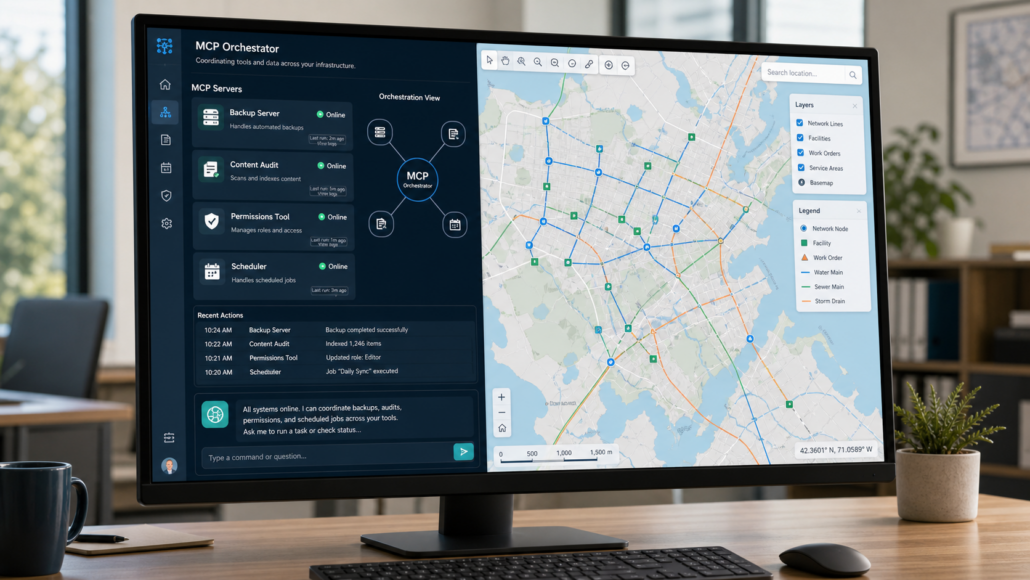
For administrators who manage multiple Esri products, the benefits could be huge. MCP enables workflows that span tools. A single conversation could check backup status in Backup My Org, audit content health in Clean My Org, and perform bulk updates in Admin Tools for ArcGIS, all through the same AI interface, with the AI orchestrating calls to different MCP servers behind the scenes.
What This Means for Your Team
The shift to MCP-enabled ArcGIS administration doesn’t require your team to become AI experts or rewrite existing workflows overnight. MCP servers work alongside existing interfaces, rather than replacing them. The web-based Backup My Org UI isn’t going away. The MCP server provides an additional access pattern that’s faster for routine operations and more natural for ad-hoc queries.
Whether you’re a county GIS department protecting parcel and zoning data, a utility managing infrastructure maps and asset inventories, a transportation agency maintaining route networks, or a state agency coordinating geospatial services across multiple portals, the operational benefit is the same: less time spent on mechanical tasks, more time spent on the strategic decisions that actually require human judgment. Which content needs protection? How should ArcGIS backup retention policies be structured?. When does my migration strategy need to change? All that is required of you is a willingness to rethink how you interact with your Esri backup and administration tools. The administrators who adopt conversational workflows earliest will find themselves operating faster, with fewer manual errors, and with better visibility into the health of their ArcGIS environments.
The Model Context Protocol isn’t just a technical curiosity for developers. It’s the interface layer that will define how the next generation of GIS administrators interacts with their infrastructure. GEO Jobe’s investment in building MCP support into an upcoming release of Backup My Org, building on MCP connectors it has already shipped for other products, reflects a broader conviction: the future of ArcGIS administration is conversational, and the organizations that prepare for that future will be the ones that thrive.
MCP support for Backup My Org is coming in a future release. For more information about our products, and improving your workflows, please reach out at connect@geo-jobe.com
About Our Company
GEO Jobe is a leading GIS software and geospatial solutions provider, serving more than 12,000 organizations globally. The company is most known for developing some of the industry’s most popular applications, including Admin Tools for ArcGIS, Backup My Org, Clean My Org, Manage My Attachments, and Symphony for ArcGIS.
GEO Jobe offers U.S.-based 24/7 Support for organizations using Esri’s ArcGIS© System. GEO Jobe also offers professional services focused on Esri’s ArcGIS System, including custom software development, enterprise solution implementation, data science and UAV data collection.
Founded in 1999, GEO Jobe has been in operation for more than 25 years and an Esri business partner since 2002, and is currently a Platinum Partner.