


The latest release of Admin Tools, version 2.3.1, delivers a suite of powerful new tools, enhancements, and critical fixes designed to further streamline administrative tasks for both ArcGIS Online and ArcGIS Enterprise users. Known for simplifying workflows around items, users, and groups, Admin Tools continues to evolve, boosting performance, improving cache efficiency, and ensuring reliable operation even in the largest organizations.
What’s New in Admin Tools 2.3.1?
New Features
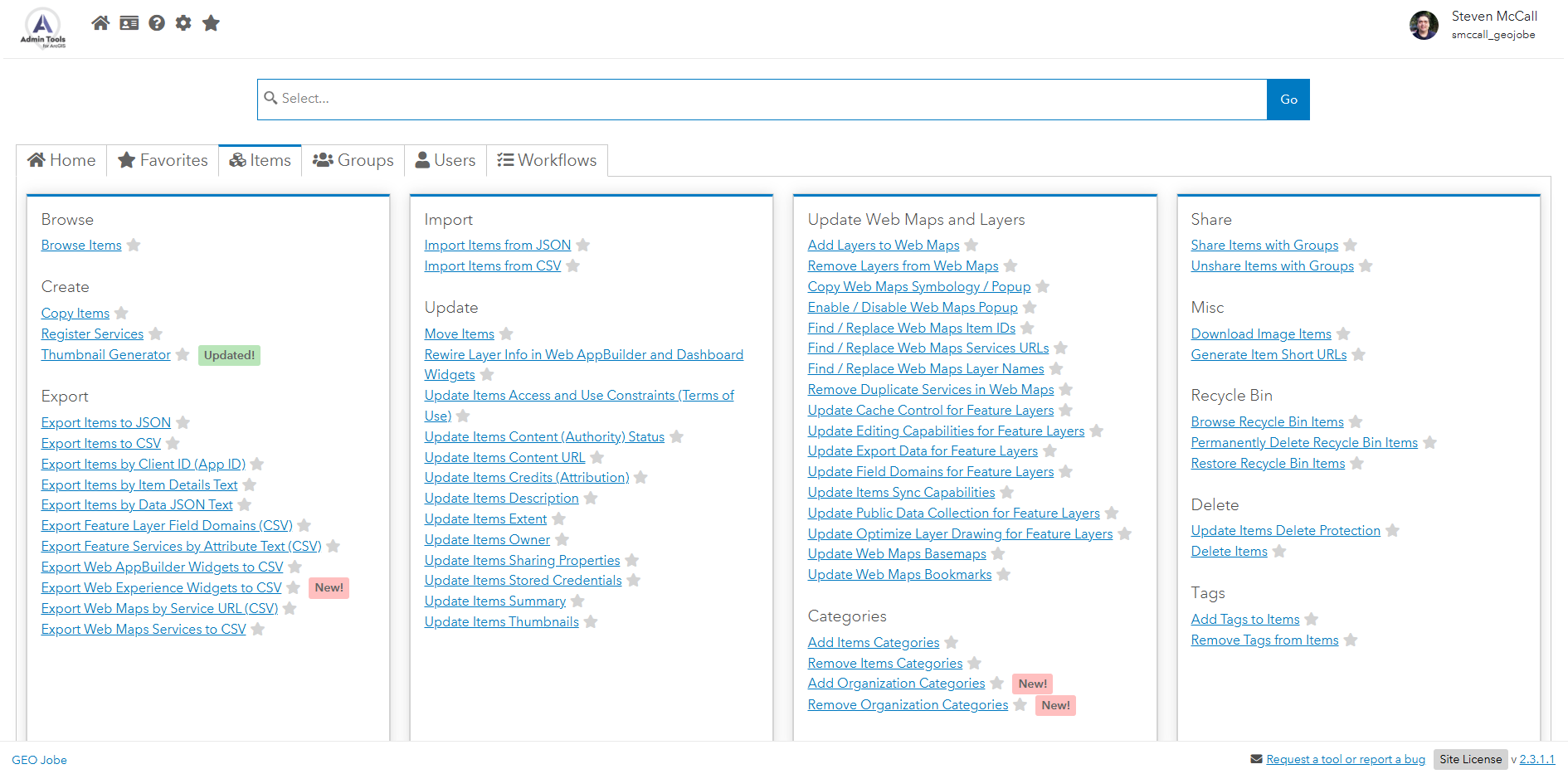
New Tool: Export Web Experience Widgets to CSV
Administrators can now extract the configuration of Web Experience widgets across their organization into a single CSV file, perfect for auditing, sharing, or version‑controlling your widget settings.
New Tool: Update Users’ Language and Number/Date Format
Quickly standardize interface languages and regional formats by bulk‑updating users’ language preferences and number/date format settings in one streamlined operation.
New Tool: Add Organization Categories
Easily classify content by adding one or more categories to your organization’s items, improving filtering, reporting, and overall content management. An included CSV import tool makes adding multiple pre-planned categories incredibly easy.
New Tool: Remove Organization Categories
Keep your category list clean and relevant by removing outdated or redundant categories from your organization in bulk. Remove pre-planned categories with ease with the included CSV import tool.
Improvements
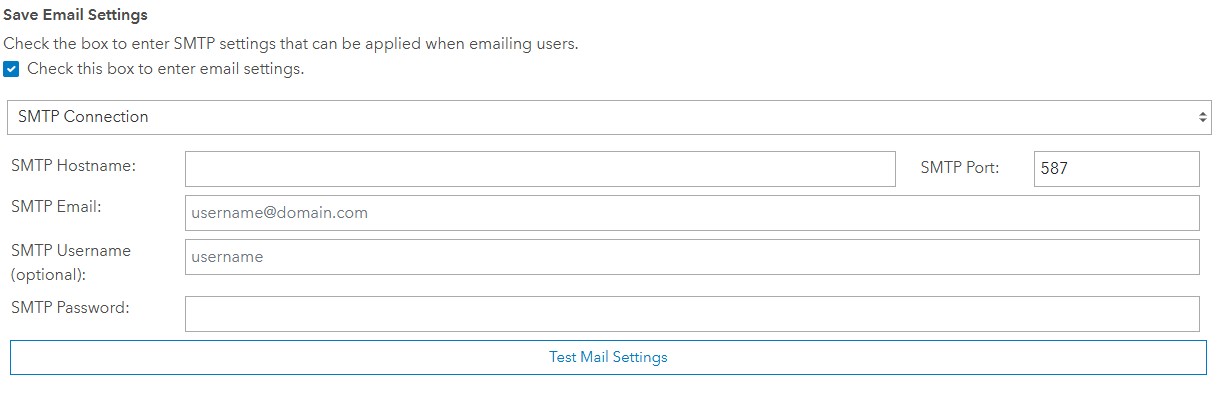
- The Send Test Email option under SMTP Mail Settings allows you to validate email configurations before saving.
- The Settings page now offers a Clear Dependencies Cache button to trigger a full recache after updates to caching logic or dependency issues.

- App-Server Credential Override for IWA
For servers using IWA, you can now provide credentials separate from the Windows Service User for use in authenticating with IWA to your ArcGIS Organization from the server.In app-server/bmofetch, run:
bmofetch set username@domain password
Deleting the generated iwa.conf reverts back to the default service user credentials. - PFX certificate support in
app-server/index: in the app-server directory, set the passphrase via
index pfx passphrase
and add your PFX file toconfig/nodeconfig.json, enable HTTPS, then restart the server.
More information is available in our Kbase here. - Server-side performance gains: optimized fetch routines, reduced memory usage, and full TLS 1.3 support (requires .NET 4.8).
clientConfig.jsongains acustomAPIEndpointfield for direct server endpoint configuration for optionally bypassing IIS Application Request Routing. More information in our Kbase here.- More efficient caching and data storage for items and dependencies in Admin Tools Enterprise, resulting in faster load times.
- Dependency viewer now loads far more quickly and supports viewing services identified by both service URL and item ID in the JSON payload.
- Enhanced error messaging for server-side dependency caching failures, making troubleshooting easier.
- Support for reverse dependency searches on file item types.
- Regular expression search capability added to:
- Export Items by Item Details Text
- Export Items by Data JSON Text
- Export Feature Services by Attribute Text
- Export Web Maps by Service URL
- Thumbnail Generator can now use any image item in your organization by its item ID.
- Recycle bin items are now cached alongside other content types, significantly speeding up access to deleted items.
- Added support for Item Draft Resources and Item Config Resources in the View/Edit Item Data tool.
- File size calculations now use binary conversions (1 KB = 1024 bytes, 1 MB = 1024 KB, etc.).
- Updated user license type labels to reflect the current licensing schema.
- Alphabetized table filters for faster, more intuitive searching.
- Admin Tools Pro now displays the provision expiration date in the lower right corner of the app.
- Hub Site Applications and Hub Pages are now included in the
itemTypeHasDependencieslist. - Server‑side MongoDB integration code has been optimized.
- An updated GEO Jobe Software End User License Agreement has been included, plus a new Internal EULA setting.
- Hardware specification details have been added to the License Page.
Bug Fixes
- Fixed cache retrieval failures in Admin Tools Enterprise for large organizations that could lead to timeouts or 502 errors.
- Resolved cases where Find / Replace Web Maps Service URLs failed.
- Corrected category filtering for items assigned categories in Enterprise 11.4.
- Fixed accessibility issues with publicly shared services from other organizations.
- Prevented circular dependency errors when viewing Hub Site Application or Hub Page dependencies.
- Addressed failures in displaying individual layer dependencies after recaching.
- Eliminated unintended logouts caused by high request volumes to ArcGIS Organizations.
- Removed infinite recache loops in the dependency viewer.
- Fixed loading errors when child items were missing from the cache.
- Corrected “Cannot read properties of undefined (reading ‘parentIDs’)” in Item Dependencies search.
- Resolved “Cannot read properties of undefined (reading ‘type’)” when viewing dependencies from the items table.
- Fixed dependency cache errors when using the Knowledge Graph tool.
- Removed duplicate Display Item Thumbnails button in the View Item Dependencies panel.
- Fixed “[Object object]” error when adding duplicate filters in search tables.
- Improved error messaging for unsearchable items in Export Items by Data JSON Text.
- Corrected Copy Items failures when copying items to new folders.
- Updated Update Users Favorites to warn about legacy behavior in Enterprise 10.9 and below, and refined logic for ArcGIS Online and Enterprise 11+.
- Fixed blank screen issues when filtering recycle bin items in very large organizations.
- Resolved group copy failures when not transferring items.
- Fix for an issue where the 3D Knowledge Graph was failing to export to PNG.
- Fix for an issue where it wasn’t possible to remove the last tag from a user or group in ArcGIS Online.
How to Get the Update
If you use Admin Tools for ArcGIS Online connectors (free or paid), the updates are already live. If you don’t see any of the new features, your webpage may be cached. Clear the cache and hard refresh the webpage to see the changes.
If you use Admin Tools for ArcGIS Enterprise connectors, you can check your version number in the lower right corner of the application. If you are using an older version of Admin Tools for ArcGIS, contact us to request an updated build.
If you don’t have Admin Tools for ArcGIS and would like to try it out, you can find Admin Tools for ArcGIS Online connectors in the ArcGIS Marketplace. If you’d like a copy of Admin Tools for ArcGIS Enterprise connector or a demo of the product, please reach out to our sales team for assistance.
Want More from GEO Jobe?
Subscribe to our weekly MapThis! blog for product updates, highlights of cool projects, and more!
To be notified when new releases are available, please subscribe to our Admin Tools Mailing List.

About Our Company
GEO Jobe is a leading GIS software and geospatial solutions provider, serving over 10,000 organizations globally. GEO Jobe is best known for developing the most popular applications in the ArcGIS Marketplace, including Admin Tools for ArcGIS, Backup My Org, Clean My Org and Scheduler for ArcGIS.
GEO Jobe offers U.S.-based 24/7 Support solutions for organizations using Esri’s ArcGIS© System. GEO Jobe also offers professional services focused on Esri’s ArcGIS© System, including custom software development, enterprise solution implementation, data science and UAV data collection.
Founded in 1999, GEO Jobe is in its 25th year of operation, has been an Esri business partner since 2002 and is currently a Platinum Partner.