


GEO Jobe is excited to announce Admin Tools for ArcGIS 2.4, a release packed with brand-new capabilities that help administrators move faster, reduce manual edits, and keep content consistent across their organization.
The headline for 2.4 is a major expansion of Web Scenes administration—with a new set of tools designed to help you update, standardize, and clean up Web Scenes at scale. This release also includes quality-of-life improvements across settings, licensing, email workflows, and caching, along with a solid list of fixes.
Let’s take a look at the new features, improvements, and bug fixes available in Admin Tools 2.4.
New Features
New Web Scenes Toolset
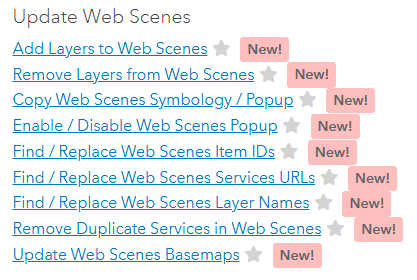
Managing Web Scenes by hand can be time-consuming, especially when you need to apply the same change across many scenes. Admin Tools 2.4 introduces a suite of new Web Scenes tools built to handle common “bulk update” scenarios quickly and safely.
New Tool: Add Layers to Web Scenes
Add selected layers from Feature Services, Map Services, and Image Services into one or more Web Scenes.
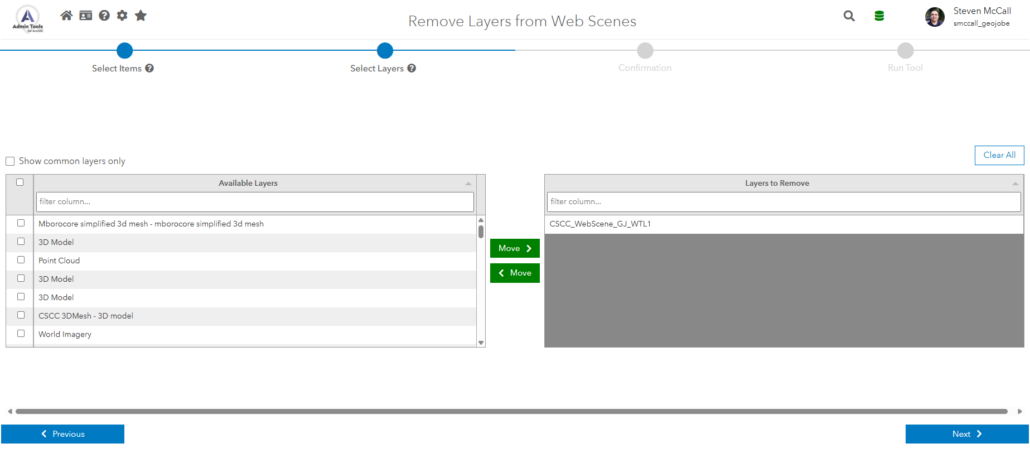
New Tool: Remove Layers from Web Scenes
Remove outdated, deprecated, or incorrectly referenced layers from Web Scenes in bulk with no more clicking through scenes one by one.
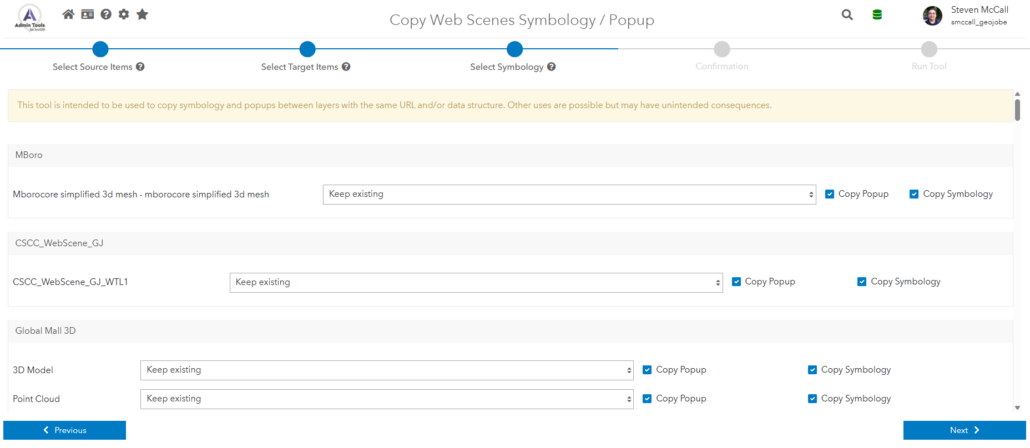
New Tool: Copy Web Scenes Symbology / Popup
Standardize the look and behavior of layers across scenes by copying symbology and pop-up configuration from source Web Scene layers to matching target Web Scene layers.
New Tool: Enable / Disable Web Scenes Popup
Quickly turn popups on or off across selected Web Scenes (or across specific layers in those scenes) to align with your organization’s UX standards.
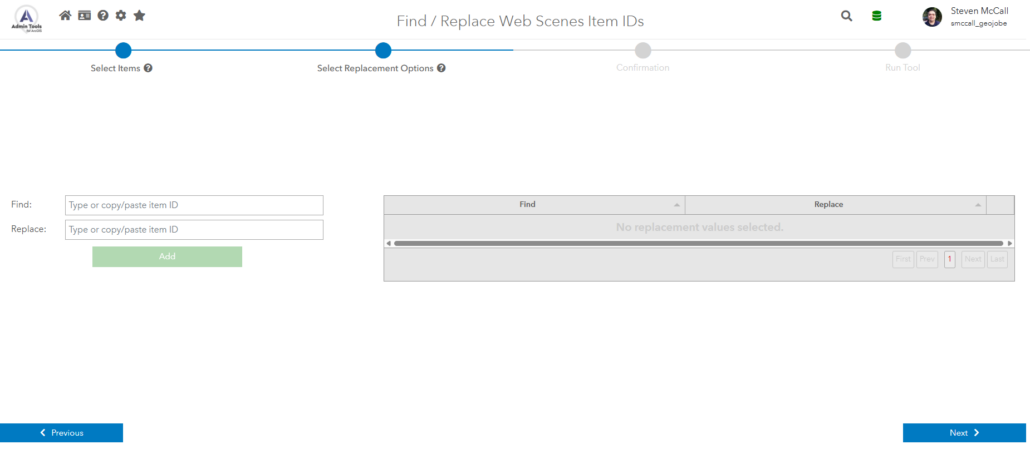
New Tool: Find / Replace Web Scenes Item IDs
When an item gets replaced, duplicated, or migrated, item references can change. This tool helps you find and replace item IDs across Web Scenes so everything continues pointing to the right content.
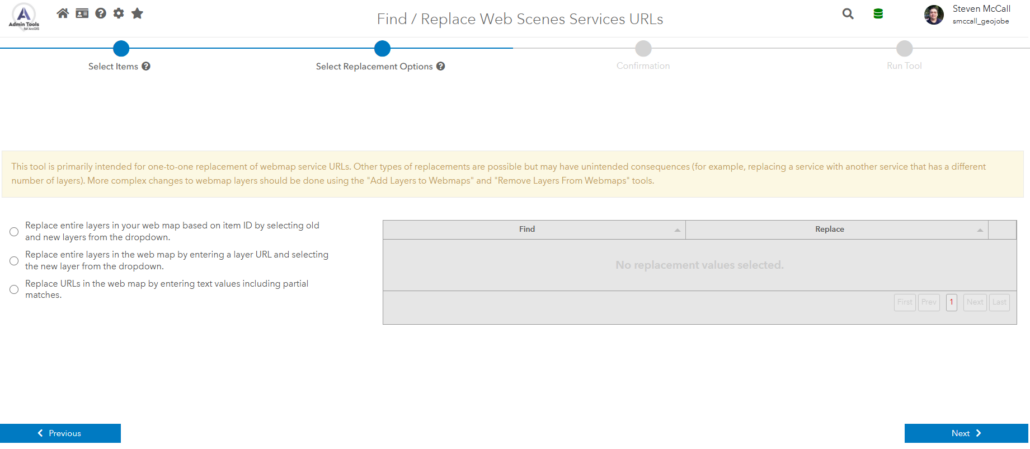
New Tool: Find / Replace Web Scenes Services URLs
Perfect for service migrations and environment changes. Update referenced service URLs across Web Scenes in bulk to keep your scenes functional after server moves or endpoint updates.
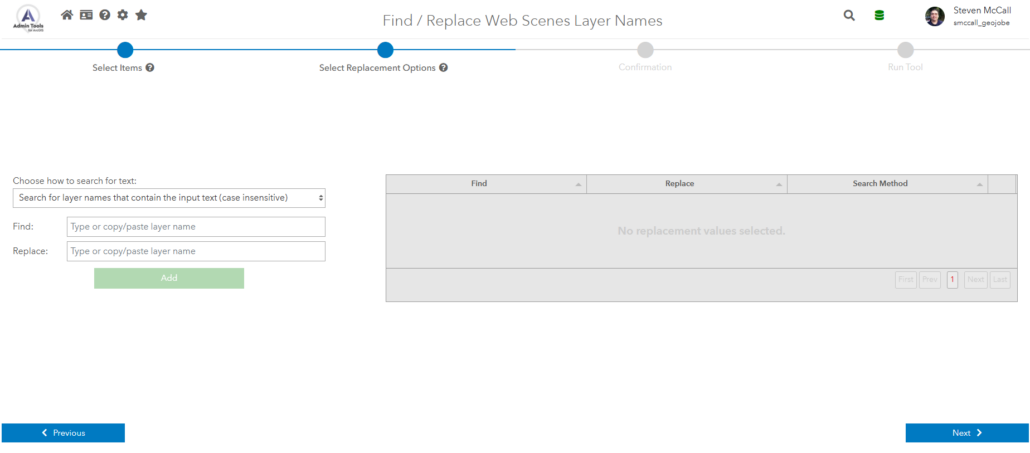
New Tool: Find / Replace Web Scenes Layer Names
Rename layer references consistently across multiple Web Scenes, useful for cleanup, standardization, or aligning naming conventions. Supports partial matching.
New Tool: Remove Duplicate Services in Web Scenes
Identify and remove duplicate service references to keep scenes clean, reduce confusion, and improve maintainability.
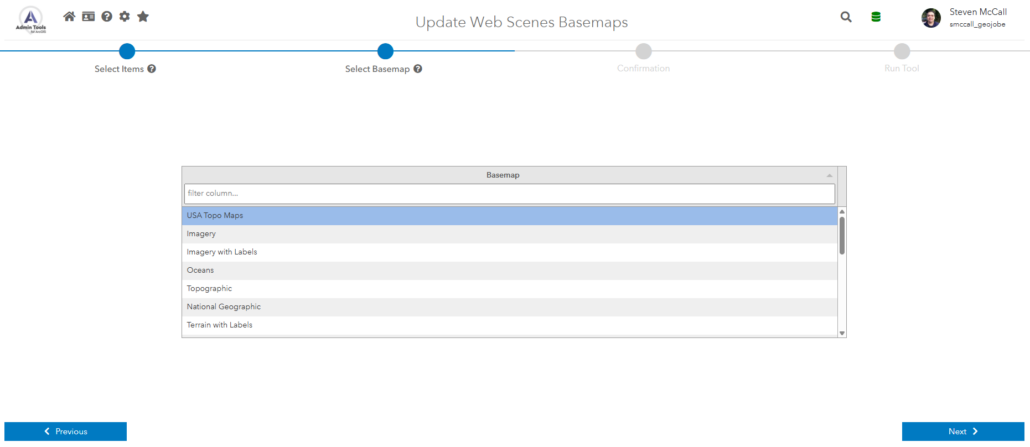
New Tool: Update Web Scenes Basemaps
Update basemaps across selected Web Scenes to keep things consistent, current, and aligned with organizational standards.
External License Transfer (Enterprise)
For customers using Admin Tools Enterprise, license portability is now supported. You can move your AT-geojobe.license.txt file to a new Admin Tools installation to transfer your license—helpful for migrations, server replacements, and version upgrade scenarios.
Proxy Settings for Application Server
Admin Tools 2.4 adds proxy settings support for the application server, making it easier to operate in environments that require proxy routing. (See the Admin Tools knowledge base article on BMOfetch proxy configuration for details.)
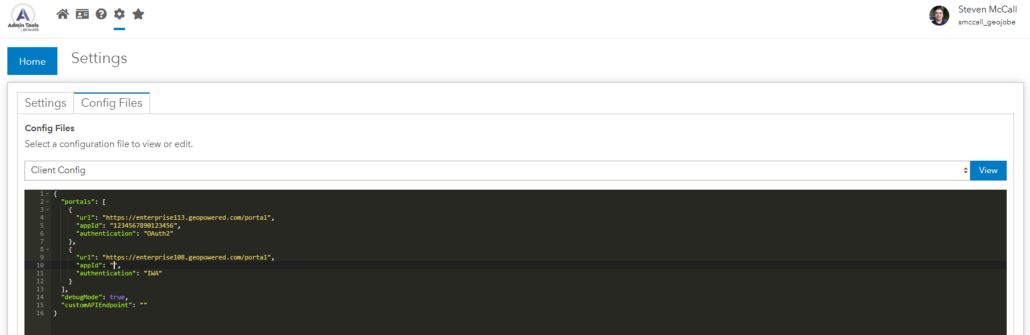
ClientConfig.json is now editable in-app (Enterprise)
You can update clientConfig settings from the Config Files tab in Settings and save them to MongoDB, allowing those settings to persist when you receive a new Admin Tools build.
Improvements
- Added Delete Protection filter for items and groups to make it easier to identify protected content and manage it safely.
- The License page is now accessible from the login screen, and the icon remains available even if the Admin Tools server isn’t running—making it easier to verify licensing during troubleshooting.
- Email Users now automatically pre-fills email settings from saved Admin Tools email configuration when available.
- Removed file size restrictions for downloading large CSV files in Chrome.
- In Admin Tools Enterprise, items, groups, users, and dependencies can be automatically re-cached on a schedule—even when Admin Tools is not currently open in the browser.
Bug Fixes
- Fixed an issue where using an invalid filetype for a thumbnail was not throwing an error.
- Fixed an issue where downloading group info JSON from the group info editor could create a file named “false” instead of the correct filename.
- Fixed the link for Software Services on the home page.
- Fixed an issue in Admin Tools Enterprise where the last updated time for the dependencies cache was not displaying correctly.
- Fixed an issue where filtering by connections in View Item Dependencies and View 3D Knowledge Graph could sometimes cause the screen to go blank.
- Fixed an issue where the dependency viewer could fail to load due to potential circular dependencies.
- Fixed an issue where Move Items could attempt to create duplicate folders, leading to an error, when moving items to a new folder.
- Fixed an issue where a “selections” filter could be saved when viewing selected content, leading to unexpected behavior when applying saved filters.
How to Get the Update
If you use Admin Tools for ArcGIS Online connectors (free or paid), the updates are already live. If you don’t see any of the new features, your webpage may be cached. Clear the cache and hard refresh the webpage to see the changes.
If you use Admin Tools for ArcGIS Enterprise connectors, you can check your version number in the lower right corner of the application. If you are using an older version of Admin Tools for ArcGIS, contact us to request an updated build.
If you don’t have Admin Tools for ArcGIS and would like to try it out, you can find Admin Tools for ArcGIS Online connectors in the ArcGIS Marketplace. If you’d like a copy of Admin Tools for ArcGIS Enterprise connector or a demo of the product, please reach out to our sales team for assistance.
Want More from GEO Jobe?
Subscribe to our weekly MapThis! blog for product updates, highlights of cool projects, and more!
To be notified when new releases are available, please subscribe to our Admin Tools Mailing List.

About Our Company
GEO Jobe is a leading GIS software and geospatial solutions provider, serving over 10,000 organizations globally. GEO Jobe is best known for developing the most popular applications in the ArcGIS Marketplace, including Admin Tools for ArcGIS, Backup My Org, Clean My Org and Scheduler for ArcGIS.
GEO Jobe offers U.S.-based 24/7 Support solutions for organizations using Esri’s ArcGIS© System. GEO Jobe also offers professional services focused on Esri’s ArcGIS© System, including custom software development, enterprise solution implementation, data science and UAV data collection.
Founded in 1999, GEO Jobe is in its 25th year of operation, has been an Esri business partner since 2002 and is currently a Platinum Partner.